

Revolutionize
Your Attendance Management!
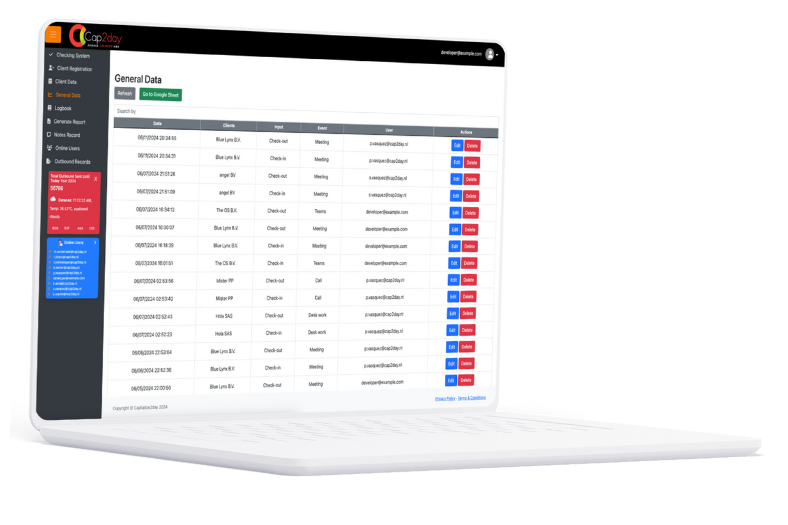
Human Cap is an innovative tool designed to streamline employee attendance tracking. It simplifies the process of recording work hours and offers a seamless way to generate official certificates, enhancing both efficiency and accuracy in your organization.
Human Cap Version 4.0
The latest release of Human Cap brings several new features and improvements:
New Sections:
- Attendance Tracking: Allows detailed recording of employee attendance, including check-in/out times, events, and notes.
System Enhancements:
- Certificate Generation: Streamlined the process for generating and downloading work certificates directly from the system.
- Real-time Data Refresh: Added refresh capabilities across all major sections for up-to-date information display.
- Enhanced Reporting: Improved visual layout and user experience in report generation and viewing.
- User Experience Optimization: Updated system layout checks to ensure a consistent user experience.
- About Human Cap: Integrated a Standard Operating Procedure (SOP) guide for easy reference.
Bug Fixes:
- Resolved issues with browser compatibility for popups and dialogs.
- Corrected visual inconsistencies in certificate generation.
- Improved animations in the About section.
- Various minor bug fixes.
Human Cap Version 3.8
The previous version of Human Cap included the following key features and updates:
New Sections:
- Notes Management: Added the ability to edit, delete, or update notes, with an integrated search and report download functionality.
- Session Monitoring: Introduced an online user tracking feature to monitor login times, session durations, and user activity.
- System Overview: Provided detailed information about the system and its current version.
New Widgets:
- Location-Based Time Tracking: Displays time logs across various locations, including Caracas, Amsterdam, Bogota, and Sofia.
- Live User Status: Real-time display of active users and their session details.
System Enhancements:
- Comprehensive Notes: Enhanced note management with batch updates and improved search capabilities.
- Detailed User Monitoring: Refined the tracking of online users, including precise session data.
- System Information: Provided more accessible information about system updates and version history.
Bug Fixes:
- Addressed data overwriting issues in client information sections.
- Differentiated between regular and admin user functionalities for improved clarity.
- Fixed page-cut issues in report generation for seamless data display.
- Added customizable logo links for client data sections.
- Included various graphical and visual enhancements.
Key Features of Human Cap:

Attendance Logging
Easily record daily work hours, tracking the start and end of each workday or project.

Certificate Generation
Generate official work certificates with just a few clicks, ensuring accurate records for employees.

Detailed Reporting
Create comprehensive reports that break down hours worked by employee, event type, and date, offering a clear view of productivity.

Secure Data
Keep employee attendance records secure and accessible, ensuring data integrity and confidentiality.

User-Friendly Interface
An intuitive interface that allows users to quickly enter and manage their attendance data without hassle.

Productivity Insights
Analyze productivity trends and optimize time management with built-in analysis tools.
Human Cap Family
Human Cap is developed by Pedro Vasquez as part of the Cap family, which includes other tools like Attendance Record. These tools are used for employee attendance control across various locations, including Captrion in Venezuela and Colombia, and Bluelynx in Colombia.

Reliable and Secure
Human Cap ensures the security and reliability of attendance data. With robust session management and productivity monitoring, it helps organizations maintain high levels of efficiency and accuracy.





 You can download HuamanCap Android app:
Download here
You can download HuamanCap Android app:
Download here
Installation Instructions:
1. Download the app using the link above.
2. Transfer the APK file to your Android phone if downloaded on a computer.
3. On your phone, go to Settings > Security and enable Install from Unknown Sources.
4. Locate the APK file in your file manager and tap to install.
5. Follow the on-screen instructions to complete the installation.
Report a Bug
Please fill out the form below to report a bug. Attach a screenshot if possible.